
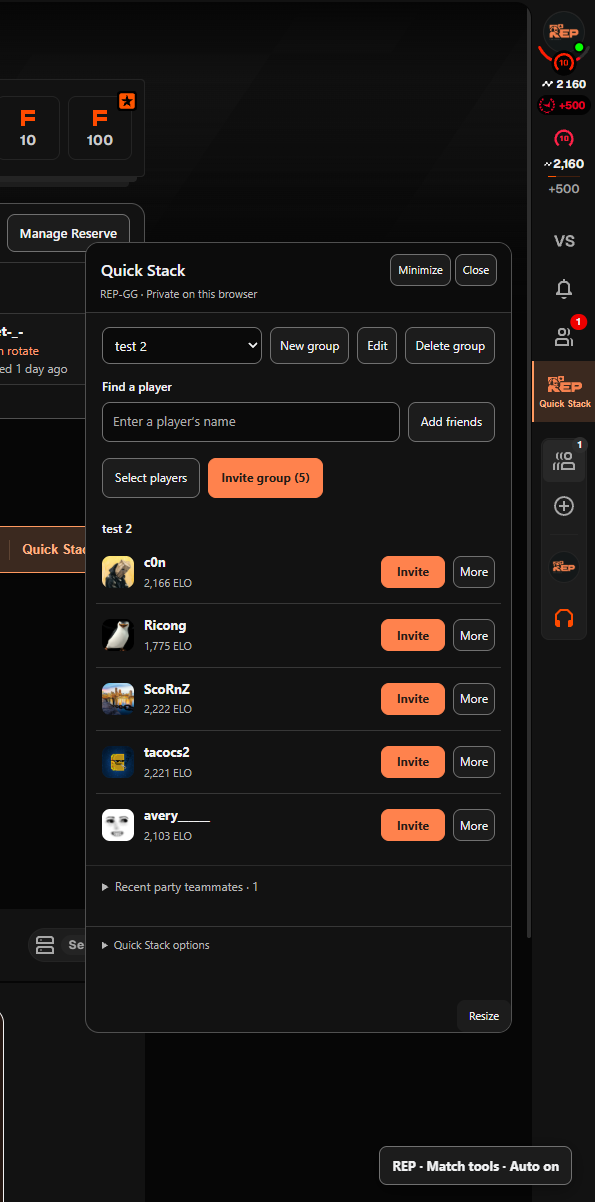
Enable Quick Stack
In Match tools, open Settings and turn on Quick Stack preview. Use the same account in REP and FACEIT. Set FACEIT to English for invites.
Save your group
Open Quick Stack beside your party. Choose New group, name it, then use Search FACEIT to add friends. Choose Create group to save.
Your saved players and groups are private to this account and browser.
Fill the open spots
Invite group (5) invites the friends shown here one at a time while there’s room. REP skips anyone FACEIT shows as offline.
Invite two friends
Choose Select players, pick two friends and click Invite selected (2). Awaiting response means the invite is pending.
Invites stop if the party fills up or REP can’t verify it. Choose Check party after the lineup changes.